
Automatic Namespace Assignment
Automatic Namespace Assignment is the capability to automatically assign namespace owners to teams in Nirmata Control Hub. The namespace must contain an annotation with the namespace owner key, and the annotation value must correspond to the team name in Nirmata.
To set up automatic namespace assignment for Teams:
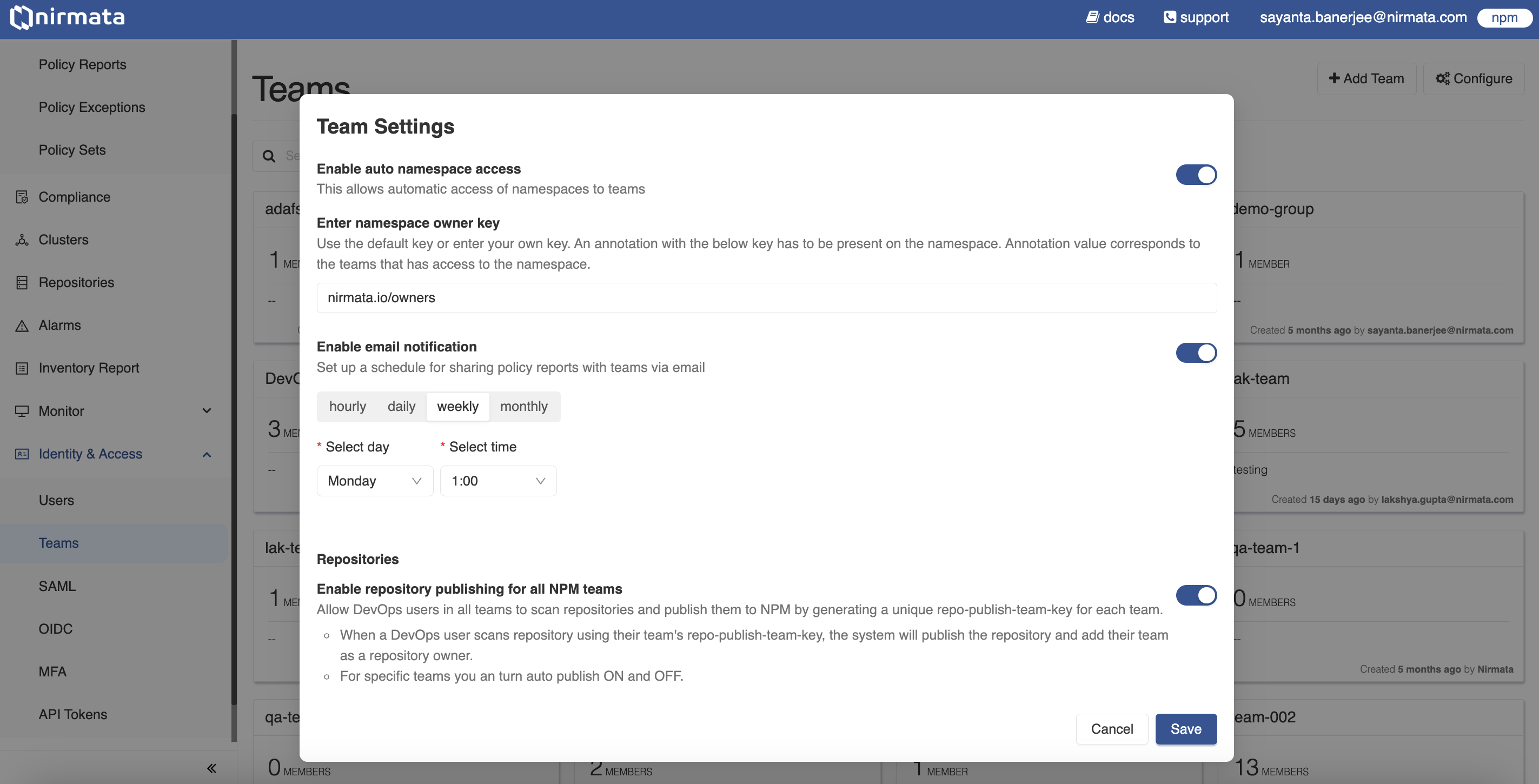
- Log into Nirmata Control Hub and go to Identity & Access>Teams. The page shows the list of Teams with the total number of members associated with each particular Team.
- Click on the Configure button located at the top right corner of the screen to open the Team Settings dialogue box.
- In the Team Settings dialogue box, click on the toggle beside
Enable auto namespace accessto allow automatic access of namespaces to Teams. - Next, use the default namespace owner key (
nirmata.io/owners) or enter your own key under theEnter namespace owner keyfield. - Finally, click Save.
Annotating a namespace
Add the namespace owner key as an annotation on the namespace, with the Nirmata team name as the value. To assign multiple teams to the same namespace, separate the team names with commas:
apiVersion: v1
kind: Namespace
metadata:
  name: payments
  annotations:
    nirmata.io/owners: "team-a, team-b"
Keep the following in mind:
- Team names must exactly match the team names in Nirmata. Whitespace around each name is ignored, and names that do not match an existing team are skipped.
- Each team is granted
viewaccess to the namespace. - Teams are assigned when Nirmata Control Hub first discovers the namespace. Adding or changing the annotation on a namespace that has already been discovered does not update its team assignments; update those manually.
- If you configured a custom namespace owner key, use it in place of
nirmata.io/owners.